
Inputs → figure
Schematic Diagram Maker
Describe an experimental apparatus and create an AI schematic draft. Review components, connections and flow direction, then download the original PNG.
Checking AI availability…
Example input
Start with a reproducible example
Self-authored, simulated teaching input for exploring this workflow. It is not a user’s research or a public gallery submission.
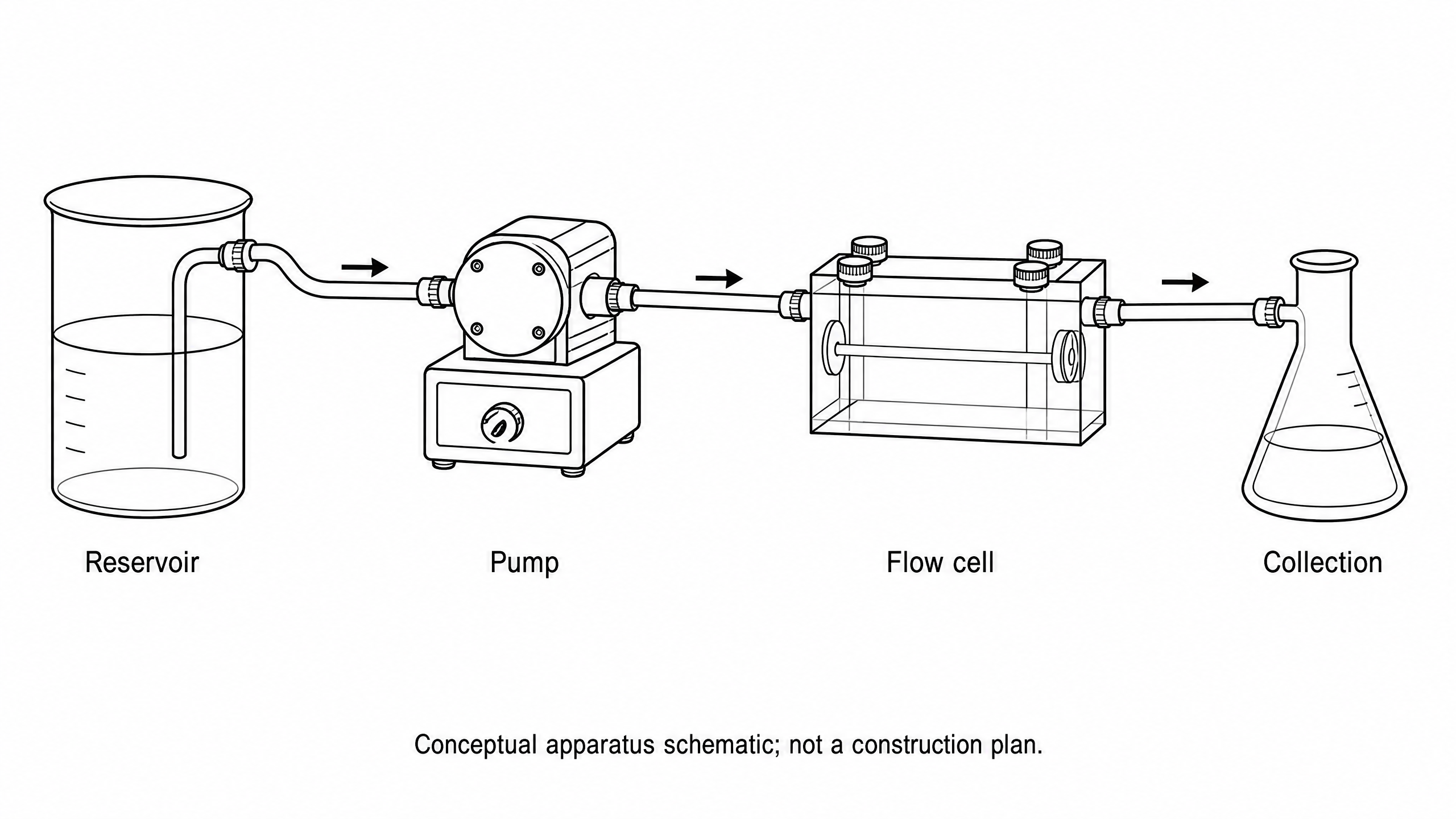
Create a conceptual laboratory apparatus schematic on a white background. Show a reservoir at left connected by one tube to a pump in the middle, then one tube to a transparent flow cell at right, then one tube to a collection vessel. Put arrows on the tubing pointing left to right. Use exactly four labels: Reservoir, Pump, Flow cell, Collection. No dimensions, pressure values, wiring or performance results. Add the footer: Conceptual apparatus schematic; not a construction plan.
Reviewed output · self-authored simulated input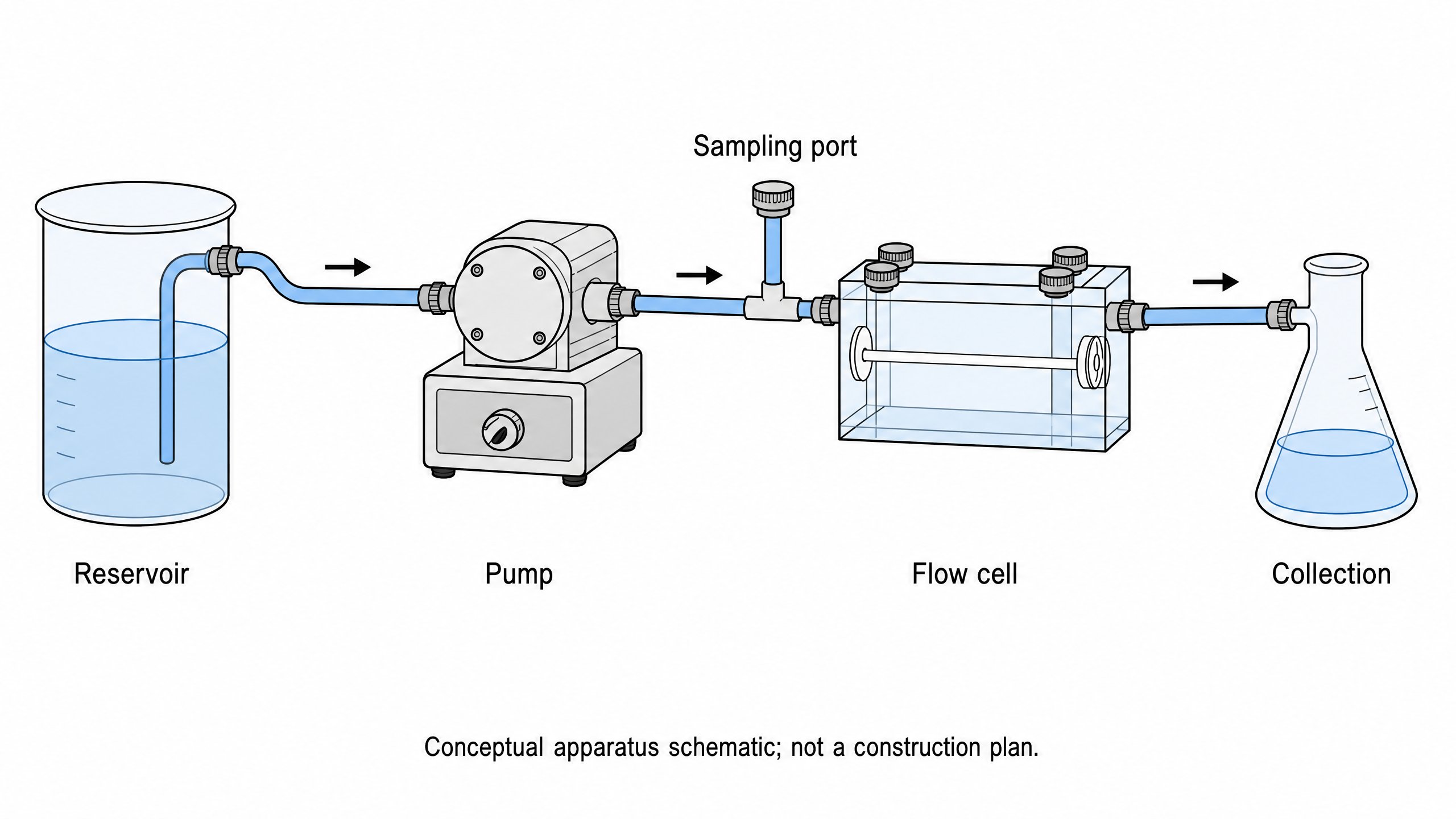
Add a clearly labelled sampling port between Pump and Flow cell to the supplied conceptual apparatus; keep the main left-to-right flow and do not add engineering specifications.
Reviewed output · self-authored simulated inputRead the example input
{
  "brief": "Create a conceptual laboratory apparatus schematic on a white background. Show a reservoir at left connected by one tube to a pump in the middle, then one tube to a transparent flow cell at right, then one tube to a collection vessel. Put arrows on the tubing pointing left to right. Use exactly four labels: Reservoir, Pump, Flow cell, Collection. No dimensions, pressure values, wiring or performance results. Add the footer: Conceptual apparatus schematic; not a construction plan.",
  "style": "line-art"
}
Load the disclosed simulated illustration brief and review every label, connection and scientific detail. AI results vary between runs.
Describe components before drawing the apparatus
An experimental apparatus schematic communicates what is connected and how a sample, fluid or signal moves through the setup. Supply an ordered component list and explicit connections. Distinguish a tube from an electrical connection, and specify arrow direction instead of leaving it for the model to infer.
The output is an Image 2 2K raster draft of the supplied apparatus concept. It is not a CAD drawing, a circuit simulator or an engineering validation. Check every connection, component and label against the actual setup. Do not infer dimensions, tolerances or safe operating conditions from the image.
Describe the experimental apparatus
Name the vessels, instruments, supports and connectors that matter to your explanation. Specify what is intentionally omitted, including scale, dimensions and hidden components.
Check connections and arrow direction
Review the drawing component by component. Trace each tube, wire or signal path from source to destination; visual overlap and model-generated arrows can suggest connections you did not request.
Use a native diagram for exact counts
Use the PRISMA or CONSORT tools when participant or record counts and arithmetic are central. This apparatus route produces pixels and does not run the native reporting-diagram checks.
How to use this tool
- Describe the subject and the exact relationships to show.
- Choose a style and aspect ratio; optionally add one permitted PNG reference.
- Review the brief and explicitly confirm generation.
- Inspect the result against the supplied scientific details.
- Download the original PNG or revise the brief for a new image.
Specifications and limits
- Route
- Independent Image 2 2K raster illustration; separate from native diagram engines
- Controls
- Scientific brief; line art, flat color or semi-realistic style; supported aspect ratios; optional PNG reference
- Reference
- One PNG up to 5 MiB, 8192 pixels per side and 24 million pixels; only material you may send
- Output
- Original PNG; labels are pixels, without SVG, PPTX or independently editable annotations
- Review
- User scientific review required; no scientific-accuracy or publication-acceptance guarantee
Guest native edits stay in this tab until you explicitly save a confirmed figure. Sign in to keep private works and revision history. Saved native works restore the figure and exports, not the original input form. AI tasks, images and references are private to their owner. Subscriptions and one-time packs are available for AI allowances. Native drawing and exports remain free. Understand export formats.
Frequently asked questions
Is this for experimental apparatus diagrams?
Yes. Describe the components, connections and flow direction of a laboratory setup to obtain an AI illustration draft.
Does it make electrical schematics or CAD files?
It does not provide circuit simulation, CAD geometry or engineering verification. The supported download is the original PNG image.
Can I use the drawing as a construction plan?
The generated image is a conceptual communication draft. Dimensions, connection correctness and safe operation need separate verification against the actual apparatus.
Can I revise an existing image?
You may supply one eligible PNG reference with a revision brief. Confirm you have permission to send it to the provider. Reference-guided revision does not guarantee exact preservation.
Can I download an editable vector image?
This route downloads the original PNG raster image. It does not create native SVG, PPTX or independently editable labels.
Can I use the image in a journal or textbook?
Review the image and the intended publication’s current AI-image, source-rights and disclosure policies. Generation does not guarantee acceptance or establish third-party rights.